Best Codex Dream Skin Alternatives (Free & Open Source)
Six solid alternatives to Codex Dream Skin — Codex Skin Manager, ReTheme, Codex Themes CLI, Codepilot and more — compared by library size, install style and workflow fit.
Codex Dream Skin is a great on-ramp, but it’s not the only game in town — and for some workflows it’s not the best. If you want pixel-exact application, a built-in gallery, or a pure-CLI theme system, here are the best free and open-source alternatives, compared honestly.
The short list
| Engine | Best for | Install style | Platforms |
|---|---|---|---|
| Codex Skin Manager | Visual browsing + management | Gallery UI, exact file application | macOS, Windows |
| ReTheme | Signed, updatable community themes | Theme library, downloadable files | macOS, Windows |
| Codex Themes CLI | Terminal purists | CLI /theme command | Cross-platform |
| Codepilot | TUI fans | Built-in TUI /skin | Cross-platform (npm) |
| Codex Themes (desktop) | macOS simple imports | .codextheme import | macOS |
| Default Codex theming | No extra installs | Built-in settings | All |
1. Codex Skin Manager — the closest 1:1 alternative
If Dream Skin’s prompt-based approach doesn’t click, Codex Skin Manager is the natural switch. It’s the visual, gallery-style engine: browse, preview, apply and roll back without writing a prompt.
Where it wins over Dream Skin:
- Exact application — theme files apply precisely as specified, no interpretation variance
- Visual preview before you commit
- Better library management for growing collections
Where it loses:
- Slower exploration — clicking previews beats pasting prompts
- Smaller preset catalog unless you import files
For most people comparing the two, the decision comes down to explore fast vs apply exactly. That trade-off is dissected in our Dream Skin vs Skin Manager comparison.
2. ReTheme — signed community themes
ReTheme is a Tauri-based engine that ships signed, updatable community themes for Codex and ChatGPT. If you care about theme integrity and auto-updates from a curated catalog, this is a strong pick.
Best for: users who want a vetted catalog with update support rather than an open preset free-for-all.
3. Codex Themes CLI — the terminal minimalist’s choice
For CLI-heavy work, nothing beats a single config file and a /theme command. Codex Themes CLI manages CLI themes: validate, preview, apply, roll back, and export matching terminal palettes.
Best for: SSH/remote workflows, dotfiles users, and anyone who wants theme changes they can script.
4. Codepilot — TUI-driven theming
Codepilot (installable via npm) brings a built-in TUI with a /skin command. It’s a good middle ground if you want a menu-driven interface without leaving the terminal.
Best for: people who like interactive menus but don’t want a GUI app.
5. Codex Themes (desktop) — macOS-only simplicity
A lighter macOS option that imports .codextheme files. Simple, but limited to the macOS platform.
6. Default Codex theming
Don’t forget that Codex ships with built-in theming settings. Before adding any engine, check whether the built-in options already cover your need — it’s zero install and zero conflict risk.
How to choose
- Want the largest preset library and fastest exploration? Stick with Dream Skin.
- Want exact application + a gallery to manage a collection? Pick Codex Skin Manager.
- Live in the terminal? Go CLI (Codex Themes CLI or Codepilot).
- Want a vetted, update-managed catalog? Try ReTheme.
You can also run two engines side by side (e.g. Dream Skin for exploring + a manager for the keepers) — just keep one as the primary applier. See Codex Skin Engines Compared for the full multi-engine picture, and the skin index to see which install format each skin supports.
Skins mentioned in this post
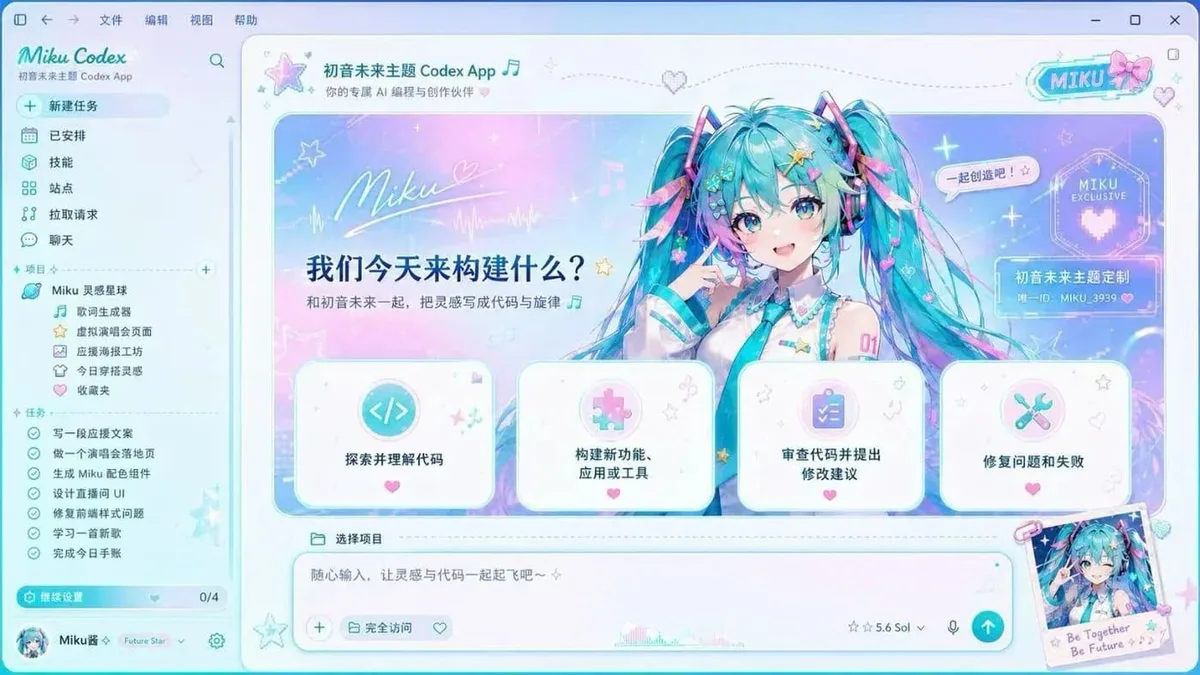 Hatsune Miku ~2,540 installs (est.)
  Monokai Stone (CLI) ~1,500 installs (est.)
  Solarized (CLI) ~1,340 installs (est.)
 Browse all skins .