Best Minimal Codex Skins for Focus
Clean, low-distraction Codex skins that keep your eyes on the code. A shortlist of minimal themes that cut visual noise without sacrificing syntax contrast.
Best Minimal Codex Skins for Focus
Minimal Codex skins exist for one reason: less visual noise means longer, calmer coding sessions. The right theme should get out of the way — muted backgrounds, restrained accents, and syntax colors that separate without shouting. This shortlist covers the Codex skins that pull that off, and how to spot a minimal theme that will actually stay comfortable after hour three.
What makes a Codex skin “minimal”
A minimal skin is not the same as a low-contrast one. The goal is fewer distractions, not harder reading. Four things separate a good minimal theme from a washed-out one:
- Muted background, not pure black. Pure black increases eye strain on OLED and makes dark gray text harder to read.
- A restrained accent palette. One or two accent colors used deliberately, instead of a rainbow.
- Clear syntax separation. Comments, strings, and keywords still need to be told apart at a glance.
- No decoration. No gradients, no glowing borders, nothing that competes with the code.
The shortlist
Berry Light
A light theme that skips the harsh white background. Berry Light uses a soft, warm paper tone with berry-toned accents. It is a good pick for daytime work and for anyone who finds dark themes draining over a full shift. The low glare makes it comfortable on bright screens, and the accent colors stay muted enough that nothing competes with the code.
Clear Glass
The most literal minimal option. Clear Glass keeps the interface mostly transparent, with subtle borders instead of heavy panels. What remains on screen is your code and little else. It pairs well with a clean wallpaper and rewards a tidy desktop. If you like the idea of the interface disappearing entirely, this is the one to try.
Monokai Stone
Monokai Stone takes the classic Monokai palette and dulls the saturation — the familiar syntax colors, but with less intensity. It keeps the strong keyword contrast that makes Monokai popular while removing the harshness that some find tiring. A practical middle ground for people who want focus without learning a new color language.
Dilraba Starlight
A character-themed skin that stays surprisingly restrained. The palette leans on soft neutrals and a single cool accent, so it reads as minimal even though it is inspired by a character design. For anyone who wants a little personality without the visual chaos of many anime skins, it sits in the sweet spot.
How to pick a minimal skin that lasts
Try before committing. Install a skin, code in it for an afternoon, and check three things:
- Do you still notice the theme after twenty minutes? If yes, it is doing too much.
- Can you scan the code quickly? If syntax colors blur together, the contrast is too low.
- Does it work in the lighting you actually code in? A theme that looks great on a demo screenshot can be wrong for a bright office or a dark room.
Most minimal themes on this list support both light and dark contexts, so pick the one that matches where you usually work.
FAQ
Are minimal skins better for productivity? For many people, yes — reduced visual clutter lowers the cognitive load of scanning code. The effect is personal, so the test above matters more than any claim.
Do minimal skins work for accessibility? They can, but check contrast. Some minimal themes drop contrast too far; if you rely on high contrast, look for a minimal theme with an accessible variant.
Can I combine a minimal skin with syntax highlighting tweaks? Yes. Most Codex skins let you override syntax colors separately from the UI theme, so you can keep the calm interface and boost only the syntax colors you need.
What is the difference between minimal and dark themes? Dark refers to background brightness; minimal refers to visual complexity. A dark theme can be busy, and a light theme can be minimal. Pick the combination that suits your environment.
Start with Berry Light or Clear Glass if you are new to minimal themes, and swap to Monokai Stone if you want familiar syntax colors with less intensity. For more options, browse the full skin library or read more theming guides.
Skins mencionadas en este artículo
 Berry (light journal) ~530 instalaciones (aprox.)
  Clear Glass ~1,620 instalaciones (aprox.)
  Monokai Stone (CLI) ~1,500 instalaciones (aprox.)
 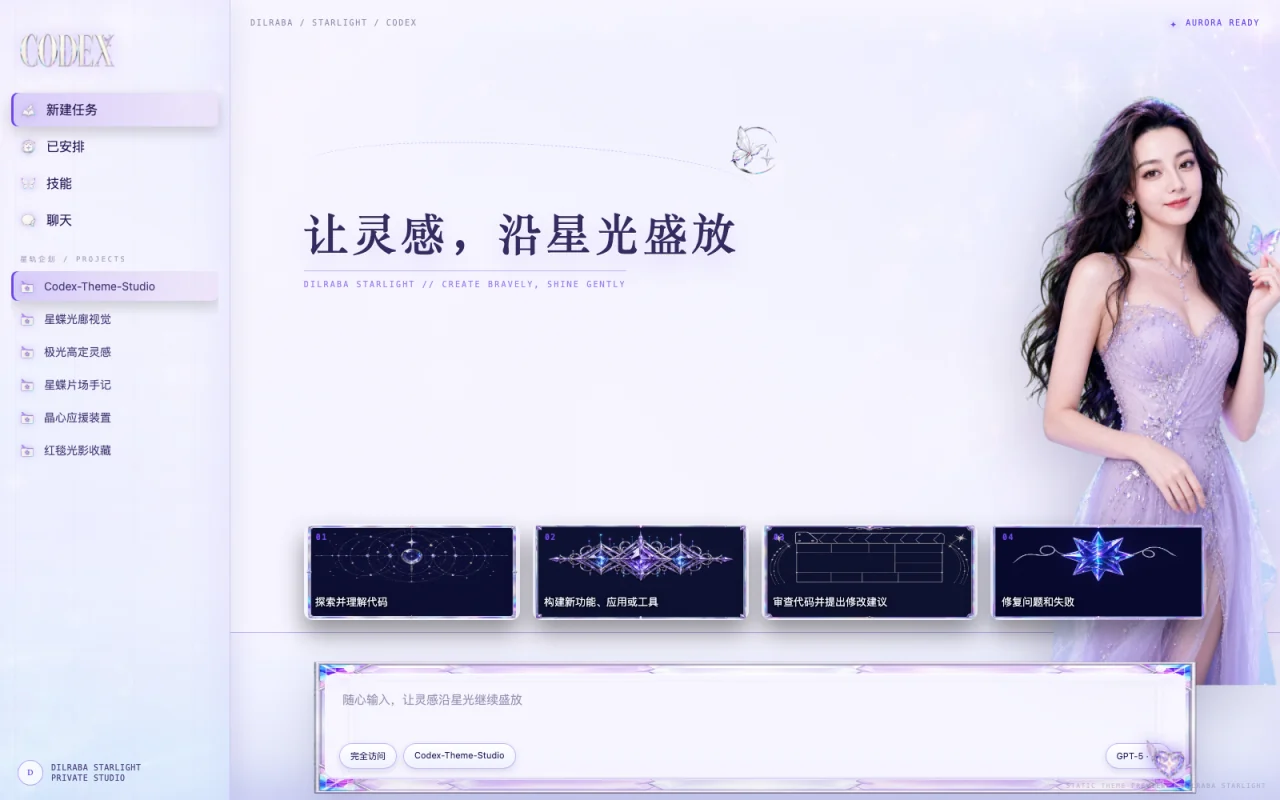 STARLIGHT 星蝶光廊 ~0 instalaciones (aprox.)
 Ver todo skins .