À propos de cette skin
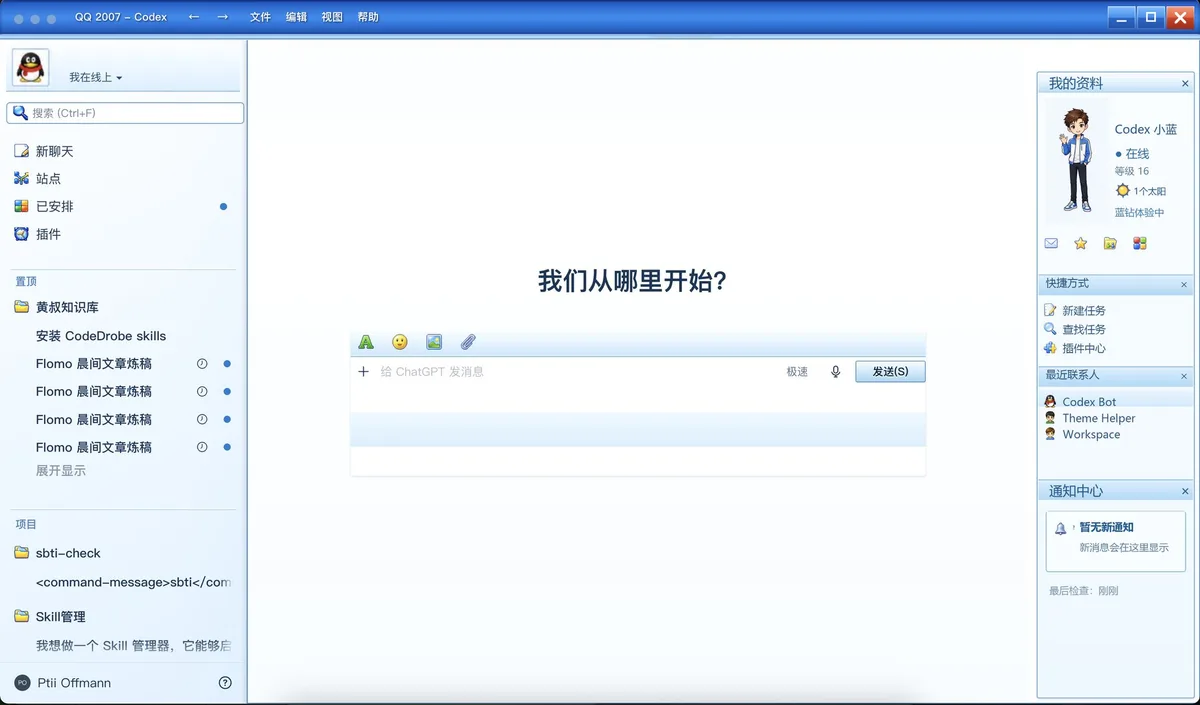
QQ2007 Retro is a community-contributed Codex skin from HeiGeAi/heige-codex-skin-studio. This skin adds unique visual customization to your Codex workspace with a distinctive style and color palette.
Points forts
- Retro & Vintage palette in nostalgic mood
- Retro-inspired palette
- Familiar, warm associations
- Built for Codex Desktop
- Applies with one copy-paste install prompt
Idéal pour
A throwback palette that leans on classic terminal and early-2000s window chrome.
- Classic terminal nostalgia
- Retro-inspired setups
FAQ
How do I install QQ2007 Retro?
Install QQ2007 Retro by copying the install prompt and pasting it into Codex. The exact steps depend on your theme engine — see the source link on this page for the authoritative guide.
Is QQ2007 Retro free to use?
Yes — QQ2007 Retro is a free, open-source Codex skin. You can install it without any paid license, and the source is linked on this page.
Which platforms is QQ2007 Retro compatible with?
QQ2007 Retro works on Codex Desktop.
Does QQ2007 Retro work on macOS and Windows?
Yes — QQ2007 Retro is a Codex Desktop skin and works on both macOS and Windows.
How do I switch away from QQ2007 Retro or uninstall it?
To switch to another skin, just apply a different one — most engines replace the active theme instantly and keep a "restore default" option. To fully uninstall, first restore the default theme, then remove the engine's files; the skin itself is just configuration and won't break Codex if left in place.